A popup is easy to launch and easy to over-trust. The same overlay that captures an email can also stall checkout, train people to ignore every modal, or give away margin you did not mean to spend. That is why exit intent popup examples are most useful when you treat them as tests, with a primary metric and a guardrail, not as a default plugin setting.
This post lists 12 exit intent popup ab test ideas covering offer, timing, copy and the mobile trigger, plus the rules that make popup ab testing readable. It also covers exit intent popup mobile and exit intent popup shopify constraints, because a desktop mouse-leave trigger does not exist on a phone.
customfit.ai has both an exit-intent strategies guide and a list of popup A/B testing ideas. This article stays on twelve testable variants and on the guardrails (bounce, conversion and margin) that decide whether a “winning” popup should actually ship.
Exit Intent Popup Examples Worth Testing
Each line is a variant you can run against “no popup,” or against a simpler popup, on a high-traffic template. Write a hypothesis first. For most of these, the primary metric should be revenue per visitor or purchase conversion, not popup close rate or email capture alone.
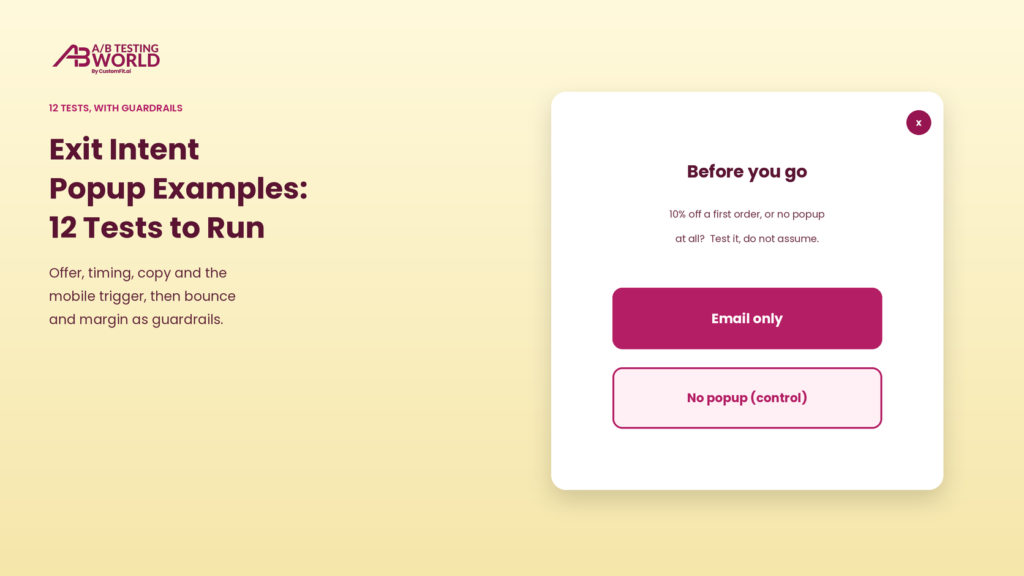
- 1. A 10% first-order offer versus no popup. The classic. Measure revenue and margin, not only emails collected. A cheap list that arrived with a standing discount can be a net loss.
- 2. A 10% offer versus free shipping, at a comparable cost, on the same trigger.
- 3. A discount versus a non-discount offer, such as a restock alert, a size guide, or a quiz. This is the test to run if you do not want to train shoppers to wait for a code.
- 4. Copy that states the offer in the headline versus copy that asks a question. Same offer, different frame.
- 5. A short form (email only) versus email plus a first-name field. Extra fields usually reduce submit rate; you need the test to see whether the extra data is worth it.
- 6. Timing: immediate on first landing versus after 15 or 30 seconds on the page, still using an exit trigger or a time-on-page rule.
- 7. Frequency: once per session versus once per seven days, for the same creative.
- 8. Trigger page: product page only versus sitewide, including collection and home, but never on checkout unless that is the explicit test.
- 9. Desktop exit intent versus a mobile equivalent, such as a back-button or scroll-up trigger, or no mobile popup at all. This is the core exit intent popup mobile question.
- 10. A bottom bar or slide-in versus a center modal, with the same offer, to test how much interruption you actually need.
- 11. A popup that offers to save the cart versus one that offers a discount, for returning or mid-funnel visitors.
- 12. A post-add-to-cart or exit-from-cart popup versus a browsing-only popup. Cart overlays can help or can block checkout. Measure completion, not only submit rate.
Twelve variants is a year of popup ab testing if you run them as a sequence. Do not stack three popups in one experience and then try to name the winner.
A useful first sequence is: no popup versus a non-discount overlay (idea 3 or a simple email capture), then, if that holds up on revenue, a 10% offer versus free shipping, then a mobile-specific trigger versus no mobile popup. That order answers “should we interrupt at all?” before “how should we pay for the interrupt?”
If you already have a popup in production, do not skip the “no popup” control. The current overlay is not a neutral baseline. It is one treatment, and it may already be costing conversion. A test of two discount creatives against each other will not tell you whether you should have a popup at all.
Skip popups entirely on thin, high-intent pages if the shopper already has a clear next step, such as a short checkout or a restock waitlist that does the same job. An overlay there is mostly friction. Spend the test traffic on the product page or the cart, where an offer or a reminder can still change the basket.
Guardrails That Should Be in the Plan
A popup can “win” on email capture and lose on the store. Pre-register guardrails:
- Purchase conversion or revenue per visitor, as the decision metric when the popup can change the offer or the path to checkout.
- Bounce or exit rate on the pages where the popup fires, as a quality check.
- Margin or discount rate, if the variant includes an offer.
- Checkout start and completion, if the popup can appear near the cart.
- Unsubscribe or complaint rate, if you are writing to the captured list later.
If email capture is the primary metric, you are running a list-growth test, not a revenue test. Say so, and still watch revenue so a noisy overlay cannot hide a conversion drop. How to choose the right metrics for A/B testing is the planning version of that rule.
Never fire a marketing popup on the checkout payment step unless that is a deliberate, tightly scoped test. The cost of a missed order is usually higher than the value of one more email.
Exit Intent Popup Mobile and Shopify Notes
There is no true mouse-leave event on a phone. An exit intent popup mobile design has to use a proxy: a scroll-up, a back-button attempt, a time delay, or a tap on an outgoing element. Those proxies fire more often, and more accidentally, than a desktop mouse-leave. That is why “the same popup on all devices” is often a bad default, and why idea 9 above is worth running as its own test, or as a device-targeted split.
Be conservative on mobile. A full-screen modal that covers the first product photo, or that appears as soon as the page loads, is a different treatment from a desktop overlay that only appears when the cursor leaves the window. If mobile conversion falls and desktop holds, do not average the result and ship a sitewide winner. Read the mix, and if assignment is uneven, check Simpson’s paradox in A/B testing.
On an exit intent popup shopify theme or app, confirm that the test assignment is stable and that the popup does not also fire in the checkout, in the editor, or for staff. App-level popups can double-fire with a theme popup, which is a setup bug, not a creative insight. If visitor counts look odd, use a sample ratio mismatch check before you read the lift.
Implementation quality matters as much as the offer. A two-second delay after a shopper has already opened the menu is not the variant you think it is.
Read more: What Makes a Good A/B Test? Avoiding Common Mistakes
Test the Popup, Do Not Just Turn It On
Run the overlay as an experiment, with revenue or conversion as the primary metric and bounce and margin as guardrails. Try CustomFit.ai free for 14 days.
A honest offer still has to be an offer you can stand behind after the test. Do not test fake timers, fake “three other people are looking at this” counts, or a discount that is already in the promo bar. Those variants can win a submit-rate test and still damage trust. If the policy is true (a real end date, a real low-stock state), it can be in the copy. If it is not true, it is not a test idea.
Kohavi, Tang and Xu, in Trustworthy Online Controlled Experiments, treat user experience costs as part of the decision, not as a footnote. A popup is a clear case: the business metric has to clear the interruption.
If the first test against “no popup” is inconclusive, do not immediately sweeten the discount. First check that the trigger fired for the people you intended, and that mobile and desktop were both readable. A wider offer is a new test. See inconclusive A/B test results if the interval crosses zero.
Test the Popup, Do Not Just Turn It On
Launch one overlay variant on your store, with a planned sample and a margin guardrail. Try CustomFit.ai free for 14 days, no credit card required.
Sample size still applies. A popup that fires on 30% of sessions has a smaller effective audience than the store’s total traffic, so a two-week test can be underpowered even on a busy catalog. Plan the sample on the number of people who will actually be eligible for the trigger, not on all sessions, and keep the test running across a full week so weekday and weekend visitors both see it. A popup that only fires in the evening will also bias a weekday-morning review, so the planned window has to include those later sessions.
Summary
The most useful exit intent popup examples are tests, not plugin defaults. The 12 ideas above cover offer, timing, copy, placement and the mobile trigger, which is the core of a serious exit intent popup ab test program. Popup ab testing should use revenue per visitor or purchase conversion as the primary metric, with bounce, checkout completion and margin as guardrails, because a winning email capture can still be a losing store. Exit intent popup mobile needs a different trigger than desktop, and often a quieter design. On exit intent popup shopify setups, check that the app and the theme do not double-fire, and keep popups off the payment step unless that is the test.
FAQs
What are good exit intent popup examples to test first?
Start with “no popup” versus a simple email-only overlay that does not automatically discount, on a high-traffic product or collection page, off checkout. That tells you whether the interruption is worth it before you pay for a 10% offer.
How should I run an exit intent popup A/B test?
Pre-register the primary metric (usually revenue per visitor or conversion), the guardrails (bounce, margin, checkout), the trigger and the frequency. Run one main creative change at a time, and do not judge the test on popup submit rate alone.
What matters most in popup A/B testing?
The decision metric and the trigger. A modal that fires too early, or on mobile in a clumsy way, will dominate any copy test. Fix the trigger and the pages it can appear on, then test the offer.
Should I use the same exit intent popup on mobile?
Usually not as a copy-paste. There is no mouse-leave event on a phone, and a full-screen modal is a heavier interruption. Test a mobile-specific trigger, a quieter format, or no mobile popup at all, and read device results with a stable mix.
Can I run an exit intent popup on Shopify without breaking checkout?
Yes, if the app or theme is set to exclude checkout and to fire once per the planned frequency. Watch for double-firing if more than one popup tool is installed, and confirm the visitor split before you read revenue.
What if the popup collects more emails and conversion falls?
Do not ship on list growth alone. Either keep the list-growth metric and accept the conversion cost as a business decision, or treat conversion or revenue as the primary metric and iterate on a quieter variant or a non-discount offer.